A page, not a tree
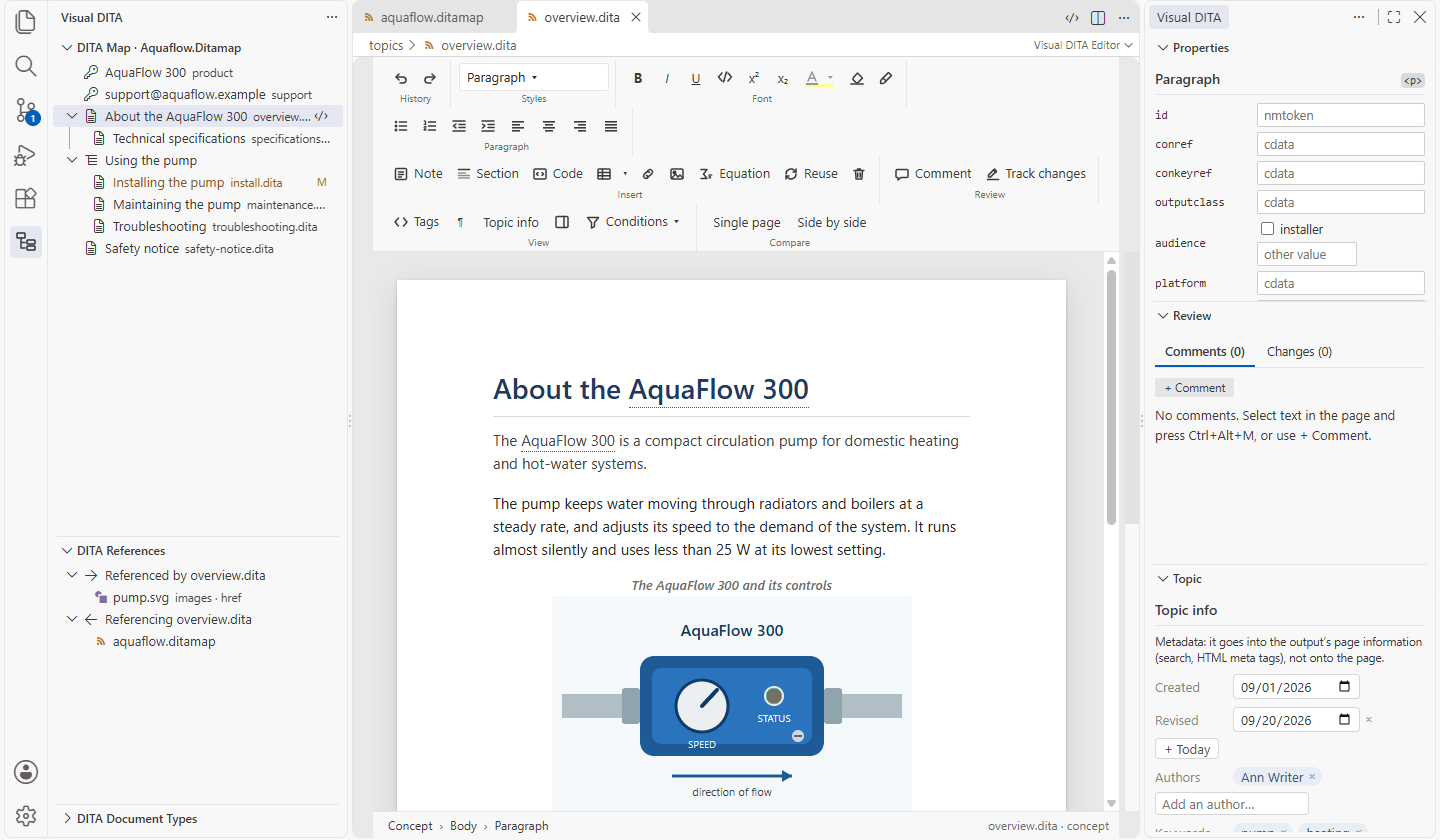
Paragraphs, lists, tables, notes and figures render as themselves. Enter, Backspace and Tab do what a writer expects.
Public beta · DITA XML editor for VS Code
Visual DITA is a visual DITA editor for VS Code. It opens your topics as a page you type on and your maps as an outline — not as XML you edit by hand. The structure stays DITA: valid, yours, and unchanged down to every byte you did not touch.
Free for standard DITA · No account · Nothing leaves your machine · Other ways to install
Features
Subject-matter experts get a word processor. Information architects get the XML they asked for.
Paragraphs, lists, tables, notes and figures render as themselves. Enter, Backspace and Tab do what a writer expects.
Menus, styles and completion follow the document type of the file you opened — your specializations included.
Comments and tracked changes in Oxygen's own markup: reviewed here, intact there — and the other way round.
Any version or branch, on your own page or side by side, scrolling together. Words, rows, formatting and attributes marked.
Drag, indent, add topics, headings and keys, edit relationship tables in place. Bookmaps too, with their metadata.
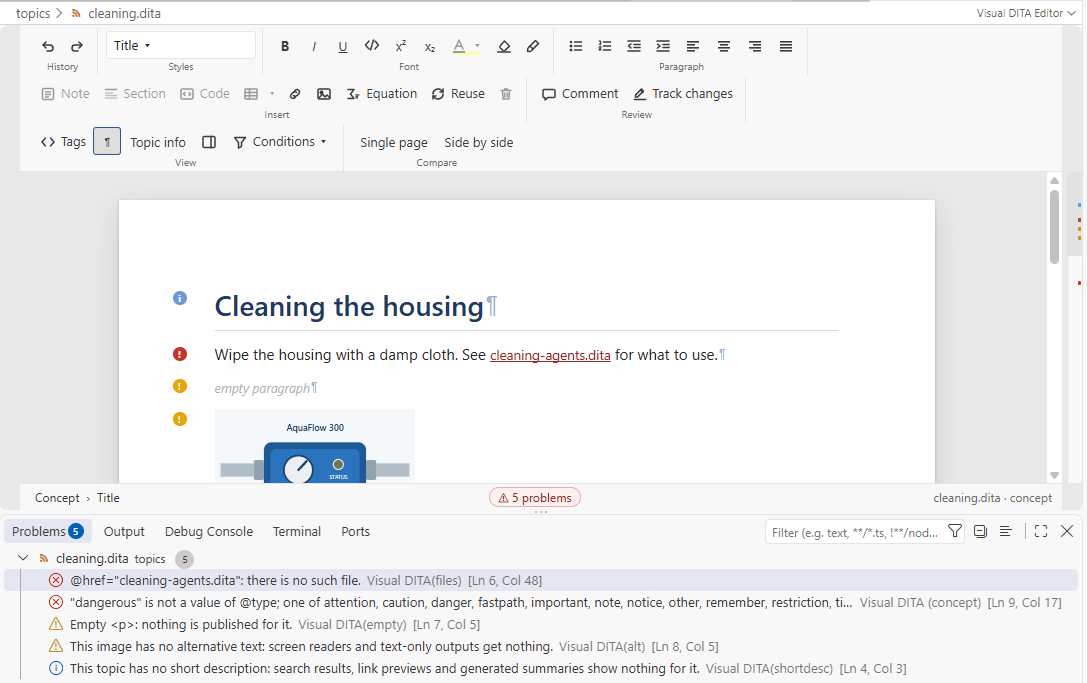
The grammar, and authoring rules: short descriptions, broken keys and links, alt text, ids — on the page and in the Problems panel.
conref and conkeyref shown resolved, key scopes, subject schemes, and condition sets previewed as the output keeps them.
An MCP server that answers from your vocabulary, keys and templates — so an agent writes your DITA, not generic DITA.
Review
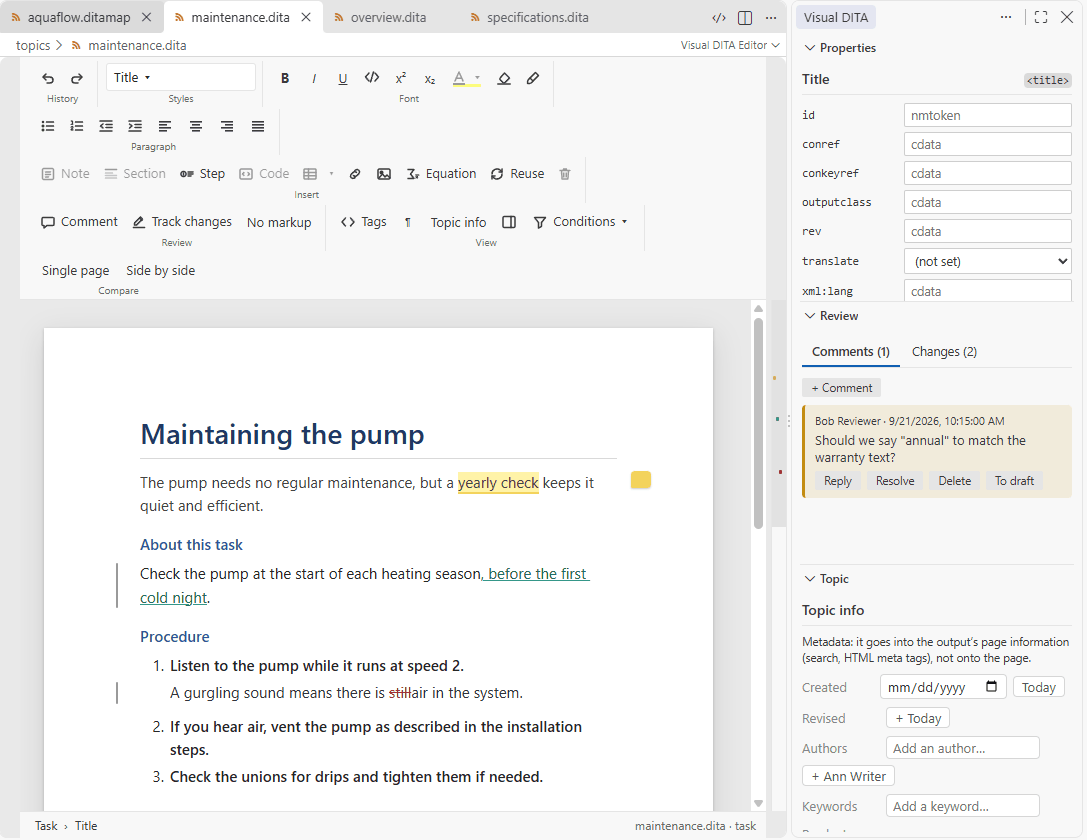
Comments with replies, tracked insertions and deletions, colour highlights: stored in the topic exactly as Oxygen XML writes them, so reviews move freely between the two.
Compare
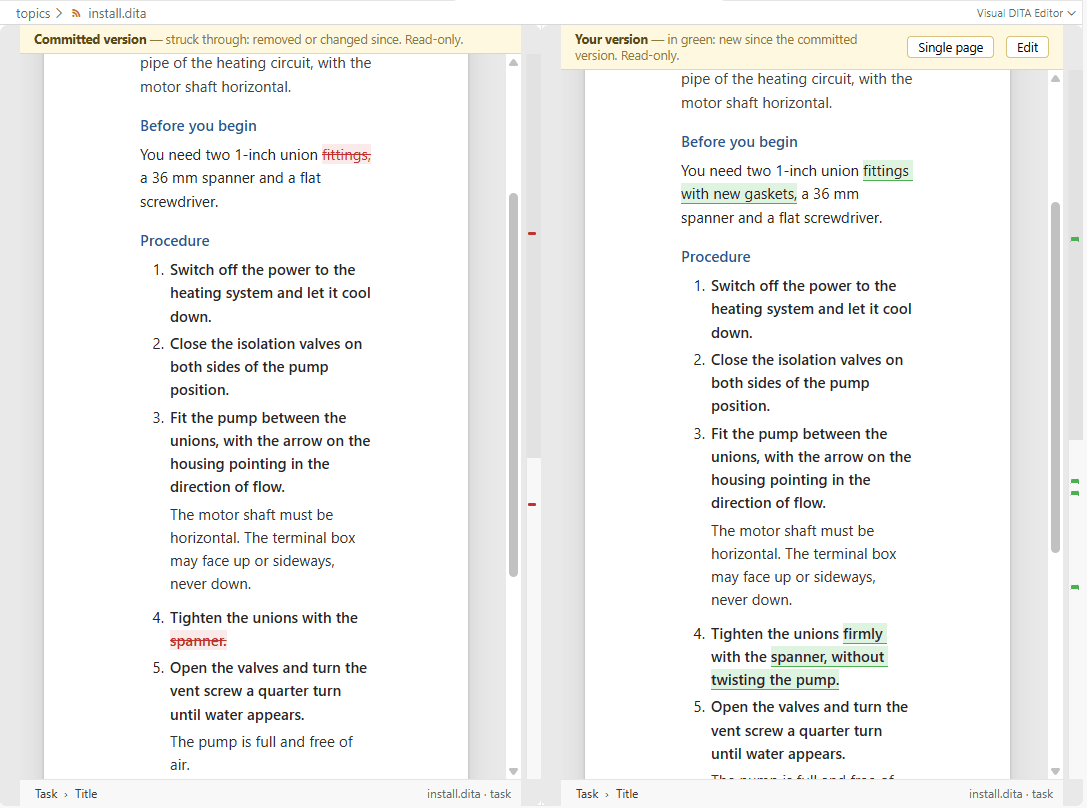
Compare a topic with the last commit, any earlier version or another branch. Your own page marks the changes, or the two versions sit side by side and scroll together.
Maps
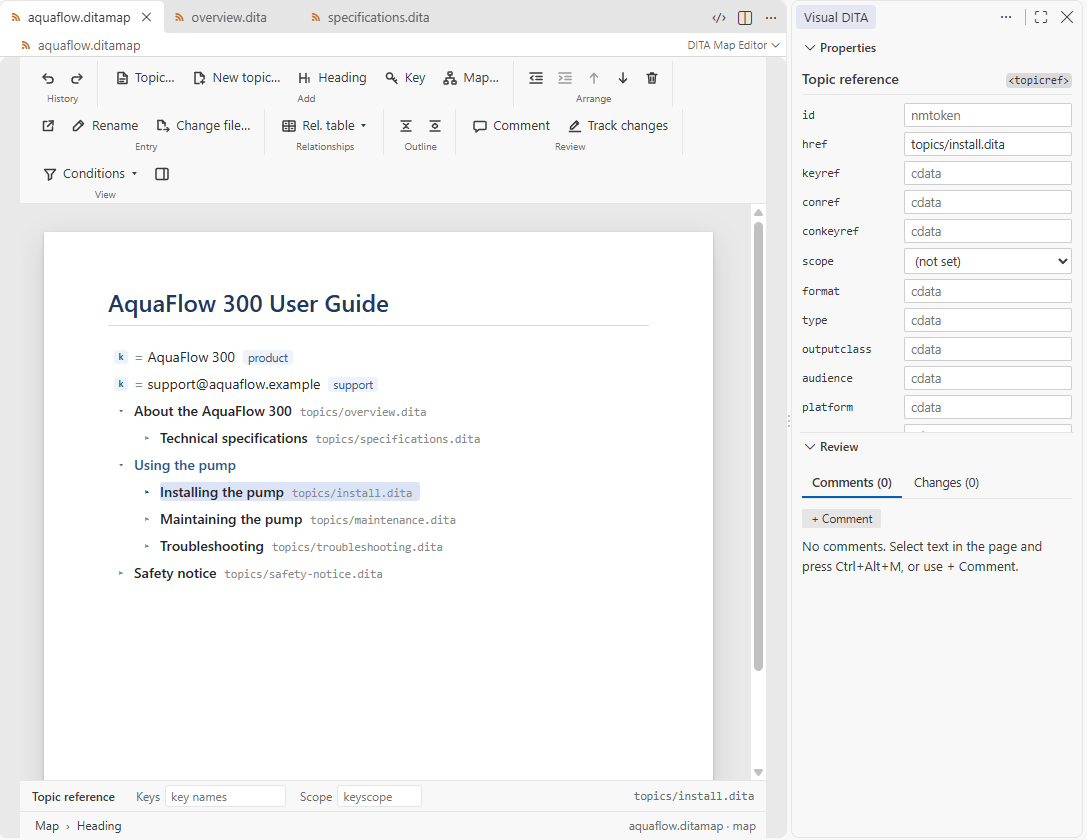
A map opens as its outline, titles resolved from the topics and keys. Drag rows, open a topic beside the map, set keys and scopes at the foot of the page.
Checks
Every document is checked against its own document type — elements, their order, attributes and values — and against authoring rules that catch what a grammar cannot.
Document types
The editor is driven by the document type of the file you open. A DOCTYPE that names a version always gets it; the rest open on your project's version.
The OASIS document types of DITA 1.0 to 1.3 — topic, concept, task, reference, glossary, map, bookmap, learning, machinery task, troubleshooting and the rest. Nothing to install, nothing to configure.
The OASIS 2.0 draft is built in too. Load it for a project and documents that name DITA 2.0 open on it; your 1.x documents never notice.
Specializations and constraints come as a Visual DITA package: one signed file, prepared by Pleosoft from your document types, imported once and shared with the whole project.
Free & licensed
The free edition has no trial period, no seat limit, and holds no feature back. What you license is support for your organization's own document types.
Standard DITA
Every feature, on the OASIS document types of every DITA version.
Your document types
Your specializations and constraints, in a signed Visual DITA package in your organization's name.
Your DITA framework: its DTDs and catalog, as your team uses them.
Compiled from your document types and signed in your organization's name.
It lives in your project's .dita folder and travels with it through Git.
Built for DITA teams
Indentation, comments, processing instructions, entities and attribute order survive untouched. A diff shows your edit and nothing else.
Visual DITA collects nothing and sends nothing anywhere. No account, no server, no telemetry of its own.
Review markup, Author CSS and framework templates from Oxygen work as they are. Mixed teams keep working.
Open Source shows the XML at any time; edits there flow back into the page. Nothing is hidden from you.
FAQ
DITA, the Darwin Information Typing Architecture, is an OASIS XML standard for technical documentation: content written as reusable topics — concepts, tasks, references — assembled into publications by maps, and published to HTML, PDF and more. Visual DITA is an editor for it: you write DITA without editing the XML by hand.
Yes, for standard DITA: every feature, on any number of computers, for any use, commercial authoring included. Your organization's own document types — specializations and constraints — need a licence.
Standard DITA renews every year, free: an update or a download, from October. Your files stay plain DITA whatever happens.
Only the elements you edit are rewritten. Everything else — indentation, comments, processing instructions, entity references, attribute order — is written back byte for byte.
DITA 1.0, 1.1, 1.2 and 1.3 are built in, and so is the DITA 2.0 draft, which a project loads when it wants it. A document opens on the version its DOCTYPE names, and one that names none on the project's version.
It is supported fully through a Visual DITA package from Pleosoft. Until you have one, those documents still open: the standard content is on the page, and your own elements are kept unchanged and shown as tags.
Yes. Comments and tracked changes use Oxygen's own markup, and your framework's Author CSS and templates apply. A topic reviewed in one opens with its review intact in the other.
No. Visual DITA reads and writes the files in your workspace, the folders your settings point at and its own folder in your home directory — nothing else, and it sends nothing anywhere. It needs no account and no server.
VS Code 1.106 or newer. No Java, no XML extension. Git — VS Code's built-in support — for comparisons. Install covers the Marketplace, and computers without it.
It is a public beta: everything described here works today and is covered by tests, but the product is young. Keep your content in version control, and tell us what breaks.
About your document types, a licence, or anything else. No form: an email reaches a person, and we answer.